Solo $70 · Agency $499 — one-time · no subscription · Get Agency →
✓ Self-hosted · One-time payment · Buffer auto-publishing included

Planable costs $33/month per client.
SocialCue costs $70 once.
AI included. No extra fees.

Plan, approve, and auto-publish social media content. Approve a post — it goes to Buffer and publishes at the exact scheduled time. No clicks, no follow-up.

Get SocialCue → Try live demo

30-day money-back guarantee · Instant download · No monthly fees · Works on any PHP host

Managing multiple clients? Agency license — $499 →

socialcue.eu
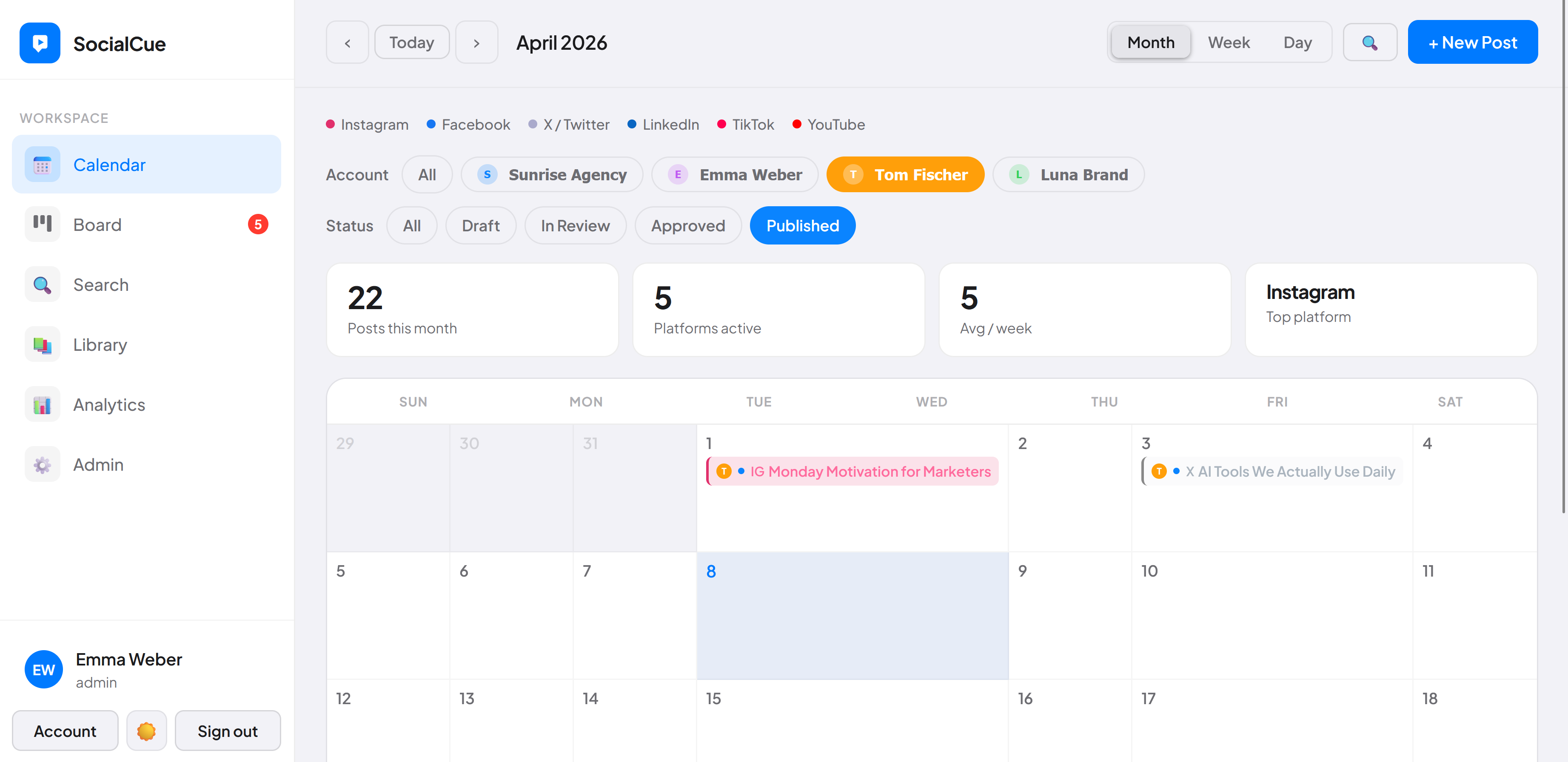
SocialCue content calendar month view
Live demo available Log in with demo / socialcue
Try the live demo →
Planable alternative · self-hosted · no subscription
Tired of paying monthly
for tools you already outgrew?
The problem with SaaS tools
Planable charges $33/month per client workspace — costs multiply fast
Client approvals mean endless WhatsApp threads and PDF exports
Your posts and client data live on someone else's servers
No auto-publish on approval — someone still has to manually push posts
Per-workspace fees add up fast if you manage multiple clients
AI features cost extra on top of the monthly subscription
SocialCue
One payment. Yours forever. Zero renewals
Built-in client view — share a link, they see the calendar
Install on your server — you own every byte of data
Full team workflow included, unlimited users
Unlimited posts, accounts, platforms — no artificial limits
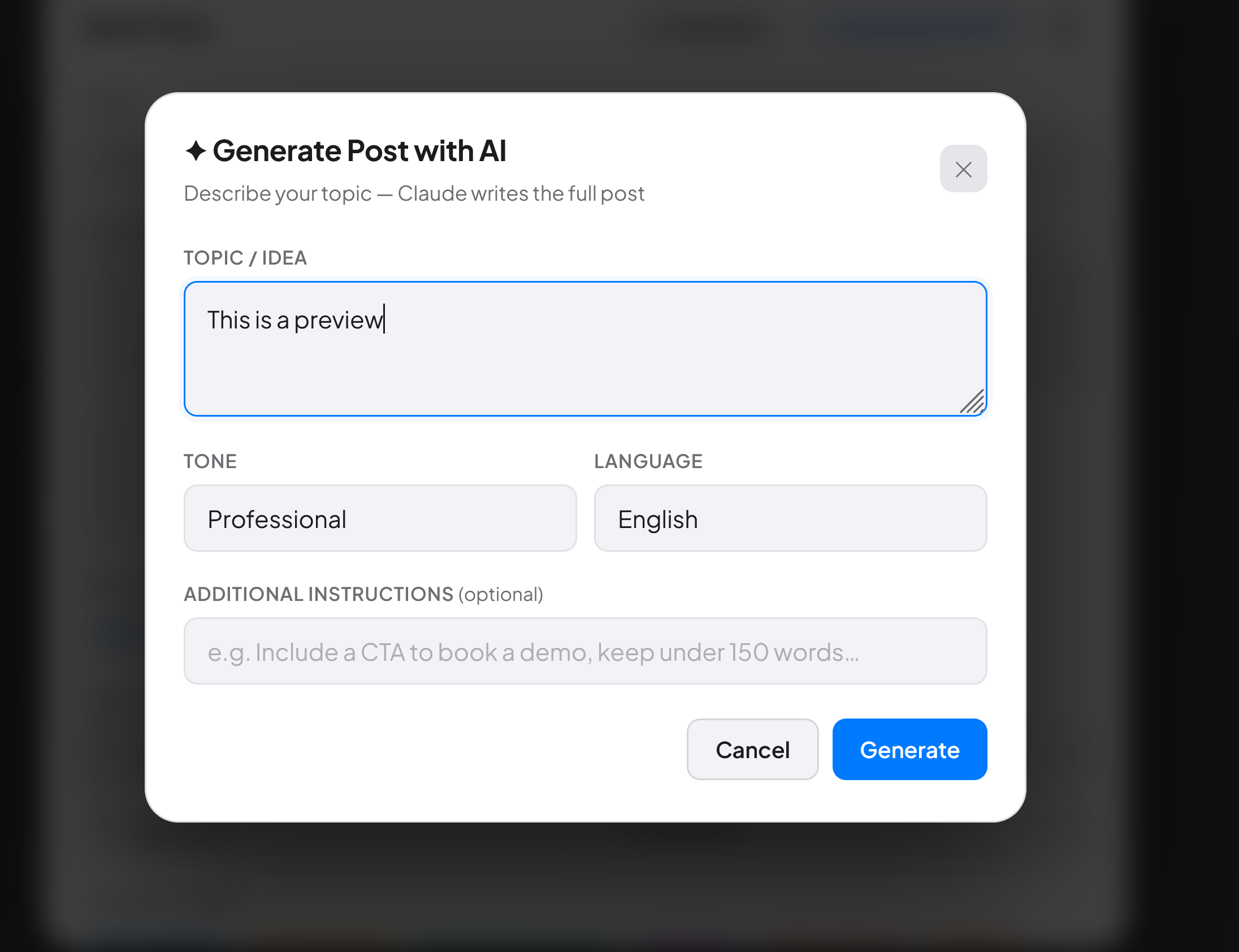
AI text & image generation included — free, no extra cost
Features
Everything your team needs

Auto-publish via Buffer

Approve a post — SocialCue sends it to Buffer automatically with the exact scheduled date and time. Zero extra clicks.

🔄

4-step approval workflow

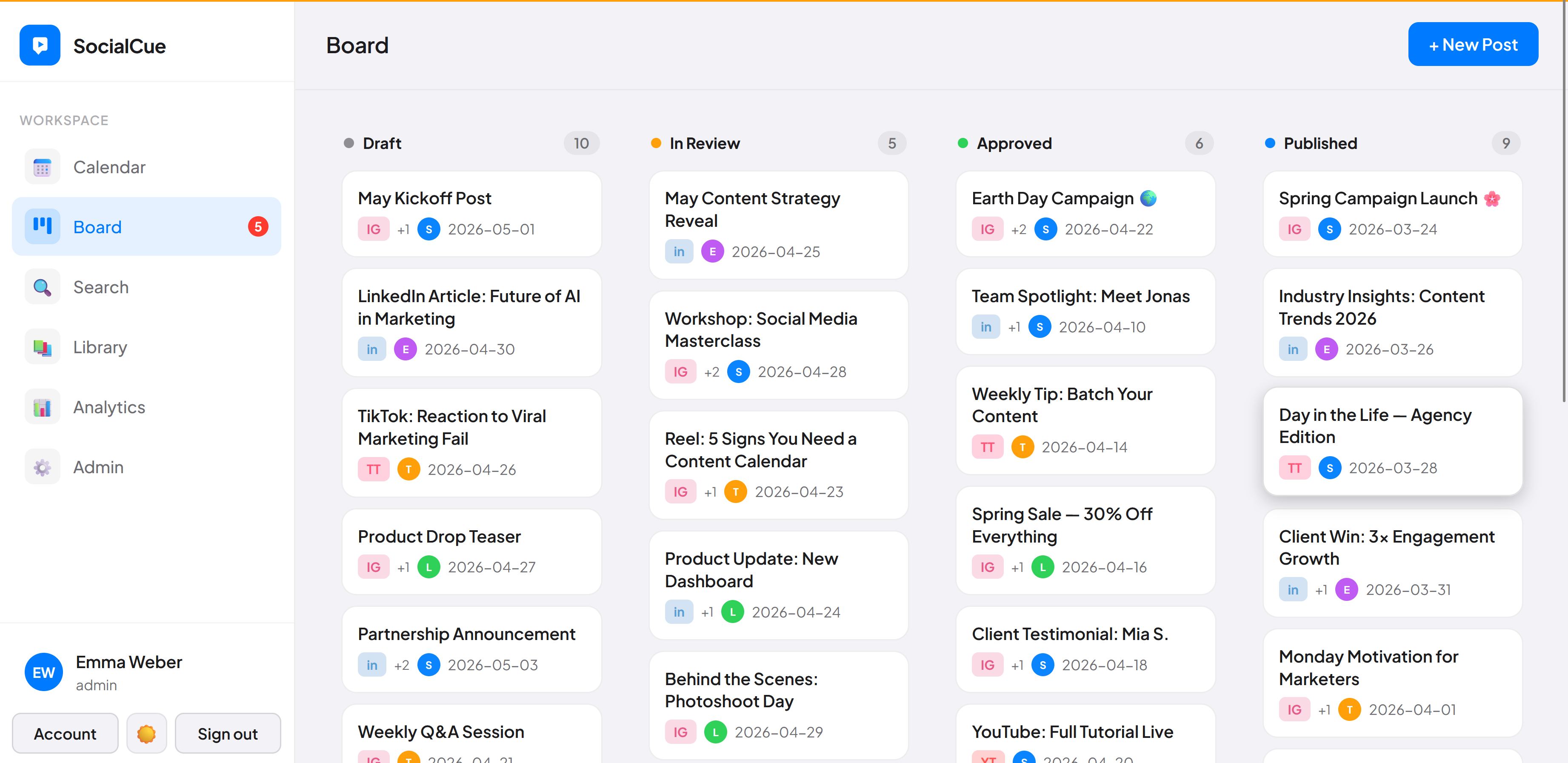
Draft → Review → Approved → Published. Auto-publishes the moment you approve. No WhatsApp back-and-forth.

👥

4 roles for agencies

Admin, Manager, Editor, Approver. Give clients an Approver login — they see only their content, approve or reject.

Free AI text & images

Generate full posts from a topic. AI images via Pollinations — zero setup, free forever. No extra subscription.

🔗

Per-client view links

One filtered link per client. They see only their account's content — no login, no access to other clients.

🏦

Per-account Buffer tokens

Each client gets their own Buffer connection. Posts go to the right account automatically — fully separated.

📅

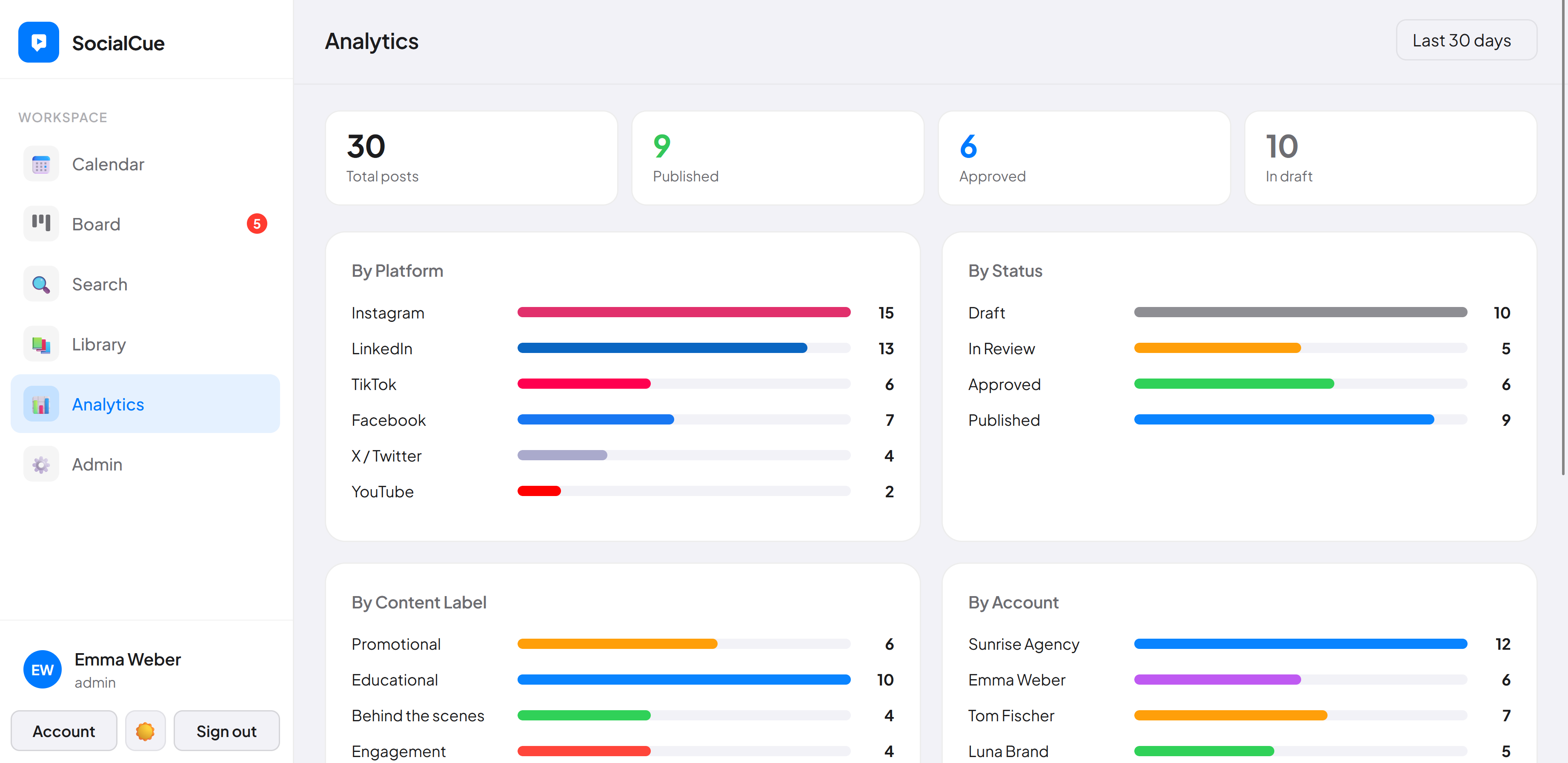
Calendar & board views

Month, week, day, and kanban. Bulk approve multiple posts at once. Filter by platform, account, or status.

💬

Post comments & activity

Leave feedback directly on posts. Activity log shows who created, edited, and sent to Buffer — full audit trail.

🔒

Self-hosted & secure

Your server, your data. Brute-force protection, hardened session cookies, security headers. No SaaS access to client content.

Live demo

See it before you buy it

Explore a fully working demo pre-filled with 30 posts, 4 accounts, and real data. No signup required.

Open live demo →
Login with demo / socialcue
Comparison
The honest breakdown
FeatureSocialCueBufferPlanable
Pricefrom $70 once$72–$180/yr+$33–$99/workspace/mo
Self-hosted / your data
Team approval workflowPaid
Client view link
Post comments
Unlimited usersPaid tierPaid tier
AI post generation
AI included freeExtra cost
Monthly feeNone$15–$65$33–$99
What you get
6 files. Upload. Done.
index.html
The complete app — calendar, board, AI, Buffer publishing, client approvals, all roles. One file.
data.php
Backend API — user auth, post storage, accounts, sessions. Auto-creates data folder on first run.
publish.php
Buffer publishing proxy — sends approved posts to Buffer with the exact scheduled time. Per-account token support.
optimize.php
AI text proxy — Groq (free) or Anthropic for post generation and caption optimisation.
generate-image.php
AI image proxy — Pollinations (free, zero setup) or Ideogram for social media image generation.
README.md
Full setup guide — installation, Buffer setup, AI configuration, troubleshooting, password reset.
→ Full documentation & setup guide
Installation
Up and running in 5 minutes
1

Purchase & download

Buy via Gumroad. Instant download of the 6-file package.

2

Upload to your host

Drop the files into any folder on your web host. PHP 7.4+ required. Shared hosting works.

3

Add accounts & team

Create an account per client. Add team members with Editor, Manager, or Approver roles.

4

Connect Buffer

Paste each client's Buffer token in their account settings. Now approving a post publishes it automatically. Instagram requires a Business or Creator account for auto-publishing.

Pricing
Own it forever
Freelancers & small teams
Solo license
$70
one-time · no subscription
excl. VAT
Full source code — 6 files, self-hosted
Up to 2 client accounts
Buffer auto-publishing on approval
Auto-removes from Buffer on delete
4 roles: Admin, Manager, Editor, Approver
Unlimited users & posts
AI text + image — both free
Platform file rules + dimension checks
Updates & fixes for 12 months
30-day money-back guarantee
Get SocialCue →

Gumroad · Instant download · excl. VAT · Single-site license

Agencies & studios
Agency license
$499
one-time · no subscription
excl. VAT
Everything in the Freelancer license
Unlimited client accounts Agency only →
Per-client Buffer tokens
Built-in setup guide + health checks
Priority support
30-day money-back guarantee
Get Agency — $499 →

Gumroad · Instant download · excl. VAT · Single-site license

For agencies
Managing more than 2 clients?

The Agency license gives you unlimited client accounts, per-client Buffer tokens, and priority support — one payment, forever.

Get Agency — $499 →
Not ready yet?

Get notified before the price goes up

Leave your email and we'll let you know when the early access price ends. No spam, no pressure.

No spam. Unsubscribe any time.

What customers say
What early buyers are saying
★★★★★

"I was on Planable at $33/month. Cancelled it the week I bought SocialCue. The approval workflow is the same, the calendar works, and I'm not paying monthly anymore. That's it — that's the review."

SK
Sarah K.
Freelance Social Media Manager
★★★★★

"My clients used to send approval feedback over WhatsApp with voice notes. Now they have an Approver login, leave comments directly on the post, and I get a notification. Night and day."

MR
Marcus R.
Digital Agency Owner, Hamburg
★★★★★

"I manage content for 5 clients. The per-account Buffer setup means each client's posts go to their own queue automatically. I don't touch it once it's approved. That alone justifies the price."

LM
Lisa M.
Social Media Manager, München
★★★★★

"We work with financial services clients who won't sign off on tools that store data in the US. Self-hosted means the data stays on our server. That was the only reason I looked at it — and then I liked the rest too."

TW
Thomas W.
Agency Lead, Frankfurt
★★★★★

"Setup was straightforward — uploaded the files, changed the password, added my client as an Approver. She asked me what tool it was because it looked so clean. I just said 'something I use for client work'."

AH
Anna H.
Freelance Strategist, Berlin
★★★★★

"Not perfect — I wish there was a mobile app. But for planning, reviewing with clients and getting posts into Buffer, it does exactly what I need. And I'm not paying $30+ a month for it."

JB
Jonas B.
Freelancer, Köln

* Testimonials reflect typical customer experiences. Individual results may vary.

FAQ
Common questions
Do I need a special server?
No. Any web host with PHP 7.4+ works — including basic shared hosting (Strato, IONOS, Hostinger). No database, no Node.js, no special configuration. If your host runs WordPress, it runs SocialCue.
Do I need API keys for the AI features?
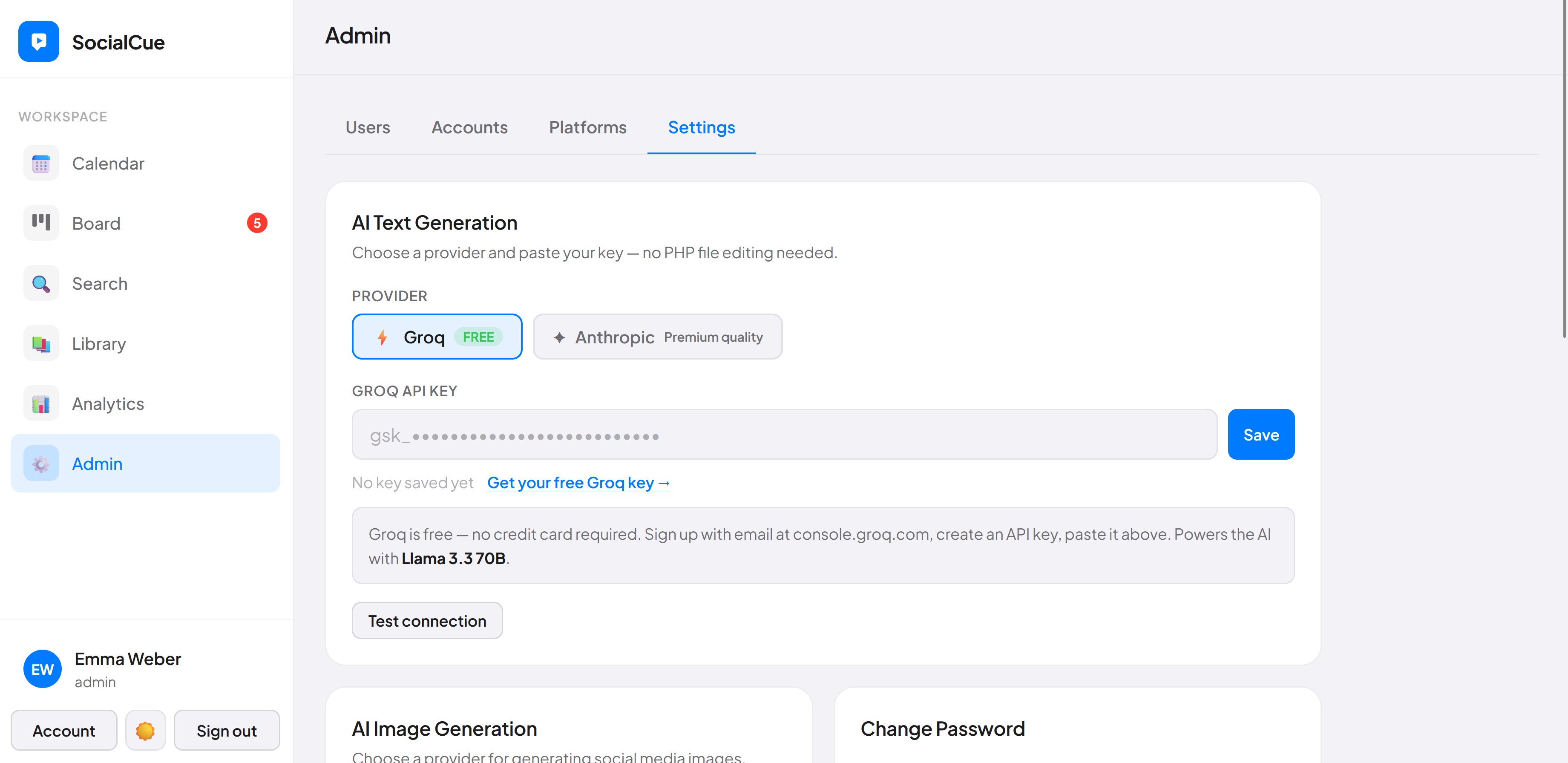
No — AI works out of the box. AI image generation uses Pollinations.ai — completely free, zero setup, no account needed. AI text uses Groq — free with a 30-second email signup. Both are configured in Admin → Settings. Optional upgrades: Anthropic for premium text quality, Ideogram for premium image quality.
How many team members can I add?
Unlimited. No per-seat fees. There are 4 roles: Admin (full access), Manager (post control + accounts), Editor (creates and submits posts), and Approver (review and approve only — ideal for clients). You can give each client their own Approver login so they can review content without seeing anything else.
What's the difference between Freelancer and Agency?
The Freelancer license ($70) supports up to 2 client accounts — perfect for independent social media managers or small teams. The Agency license ($499) unlocks unlimited client accounts and includes priority support. Both are one-time payments with no subscription, all features included, and a 30-day money-back guarantee. Prices exclude VAT.
How does the free AI work?
AI image generation uses Pollinations.ai — completely free, no account, no key, just works. AI text generation uses Groq — free with an email signup (no credit card), takes about 30 seconds. Both are configured directly in Admin → Settings with no PHP file editing. If you want premium image quality, you can optionally switch to Ideogram (paid per image).
How does Instagram publishing work?
SocialCue sends approved posts to Buffer automatically — Buffer then publishes to Instagram, LinkedIn, Facebook, and other platforms at the scheduled time. For Instagram specifically, you need a Business or Creator account connected to Buffer. Personal Instagram accounts only support notification-based publishing (Buffer sends a push notification and you tap to finish in the Instagram app). This is the same requirement that applies to Planable, Later, and every other third-party scheduling tool — it's an Instagram API limitation, not specific to SocialCue.
Does it actually auto-publish posts?
Yes. When a post is approved in SocialCue, it is automatically sent to Buffer with the exact date and time you scheduled. Buffer then publishes it to Instagram, LinkedIn, Facebook, X, TikTok and more. Buffer's free plan supports 3 channels. Each client account gets its own Buffer token — so posts always go to the right account, completely separated. Note: Instagram auto-publishing requires a Business or Creator account connected to Buffer. Buffer handles the actual publishing to Instagram — SocialCue sends the approved post to Buffer automatically. This is the same flow used by Planable, Later, and every other third-party scheduling tool.
What does self-hosted actually mean?
The files and all your data live on your server — not ours. Upload 6 files to your web host and that is it. Nobody else has access to your posts, clients, or team data.
Can I white-label it with my agency branding?
Yes. Both licenses include full source code — you can modify the name, colours, and logo for your own use. For a fully configured white-label version with your branding set up for you, contact info@socialcue.eu.

Stop paying $33/month
just to plan your content

SocialCue is a one-time purchase. Same core workflow as Planable — client approvals, team comments, calendar view — without the subscription. Freelancer $70 · Agency $499. Both excl. VAT.

Get SocialCue → Get Agency — $499 → Try live demo first

30-day money-back guarantee · No questions asked